AI exterior design from your home photo.
Explore colors and materials, compare your options, and save a direction to discuss.
Loading your account and saved designs…
A new look starts with one photo.
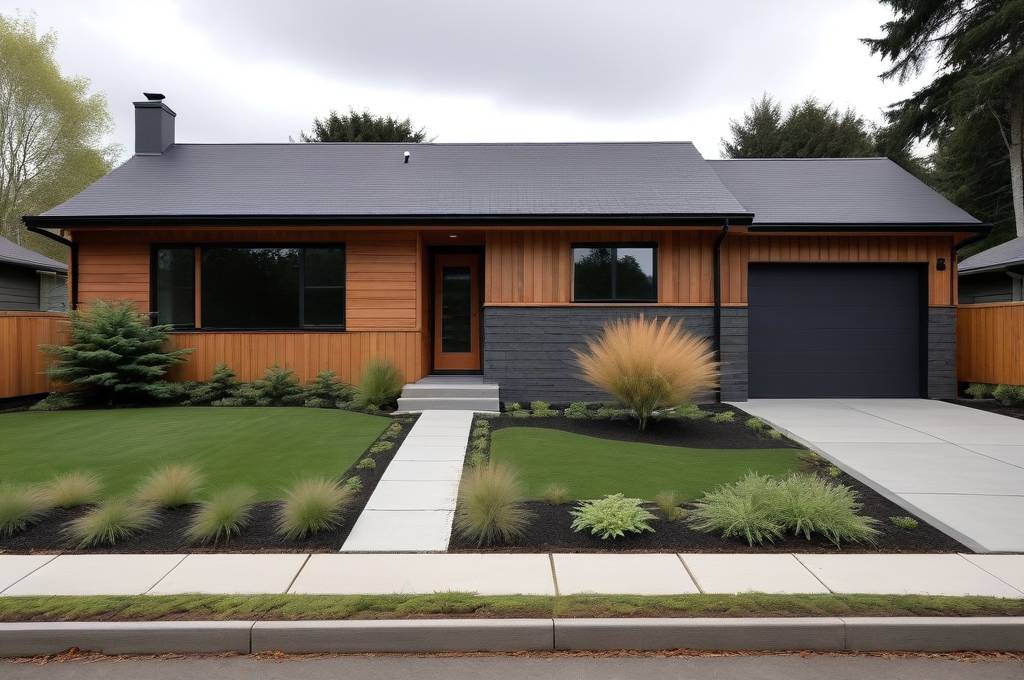
West Coast Contemporary
Synthetic sample home · Actual tool result. Architectural details may change.PICK UP WHERE YOU LEFT OFF
Your designs
Sign in to keep your photos and concepts in one place.
FROM YOUR PHOTO TO A DESIGN DIRECTION
Explore a house exterior makeover before choosing a direction.
Use a photo of your home to explore siding, brick, trim and entry ideas. AIByTask creates visual concepts you can compare with the original, keep in a project and discuss with the people helping you decide.
Start with a clear brief
- Choose a clear exterior photo with the front of the house in view.
- Select a style, then describe your priorities and the features you want to retain.
- Review the displayed credit cost before creating a concept.
- Compare saved options, add notes and select a favorite in My projects.
Preferences guide the result; they do not guarantee that the roofline, windows or other details will stay unchanged.
Keep the decision practical
Compare a few priorities at a time: how the siding works with the brick, whether the entry stands out, and which details changed from your photo. Check real material samples and discuss feasibility before committing to work.
Concepts are visual inspiration. They are not measured plans, exact paint previews, cost estimates, or evidence that a proposed change can be built.
What uses credits?
Your first Google sign-in includes 20 one-time welcome credits. Each new exterior concept shows its current cost before submission. Comparing existing options, saving notes and preferences, and downloading an existing board use no credits. Creating a new presentation board costs 2 credits. Paid checkout is not open yet. See credits and pricing.
See an example, then plan your own
Our bungalow example compares two actual tool results from one synthetic sample photo. It shows both useful palette ideas and architectural details that changed.
Ready to explore? Choose your house photo above or return to your saved projects.